The Skynamo iOS Order Overview Screen has been upgraded for a faster and cleaner ordering experience!
The ordering workflow process remains the same:
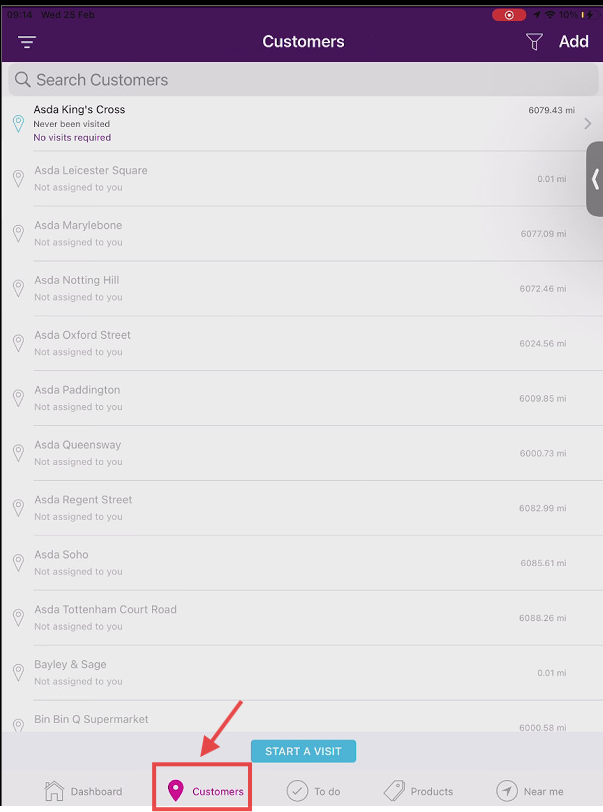
1. Select your customer profile from the customer tab
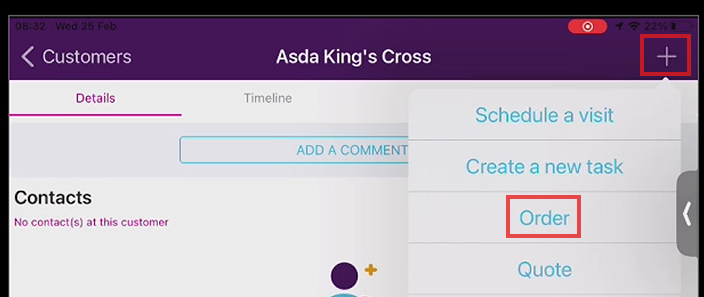
2. Select the plus button & select "order"
3. Rotate your device to see the updated order page screen
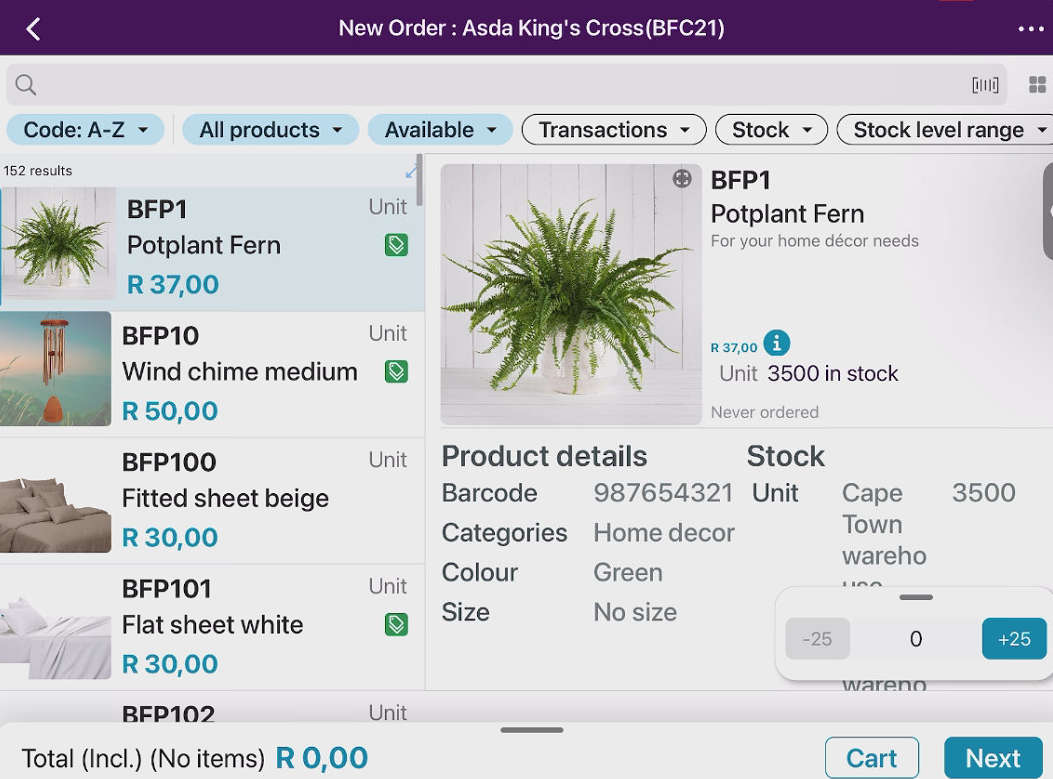
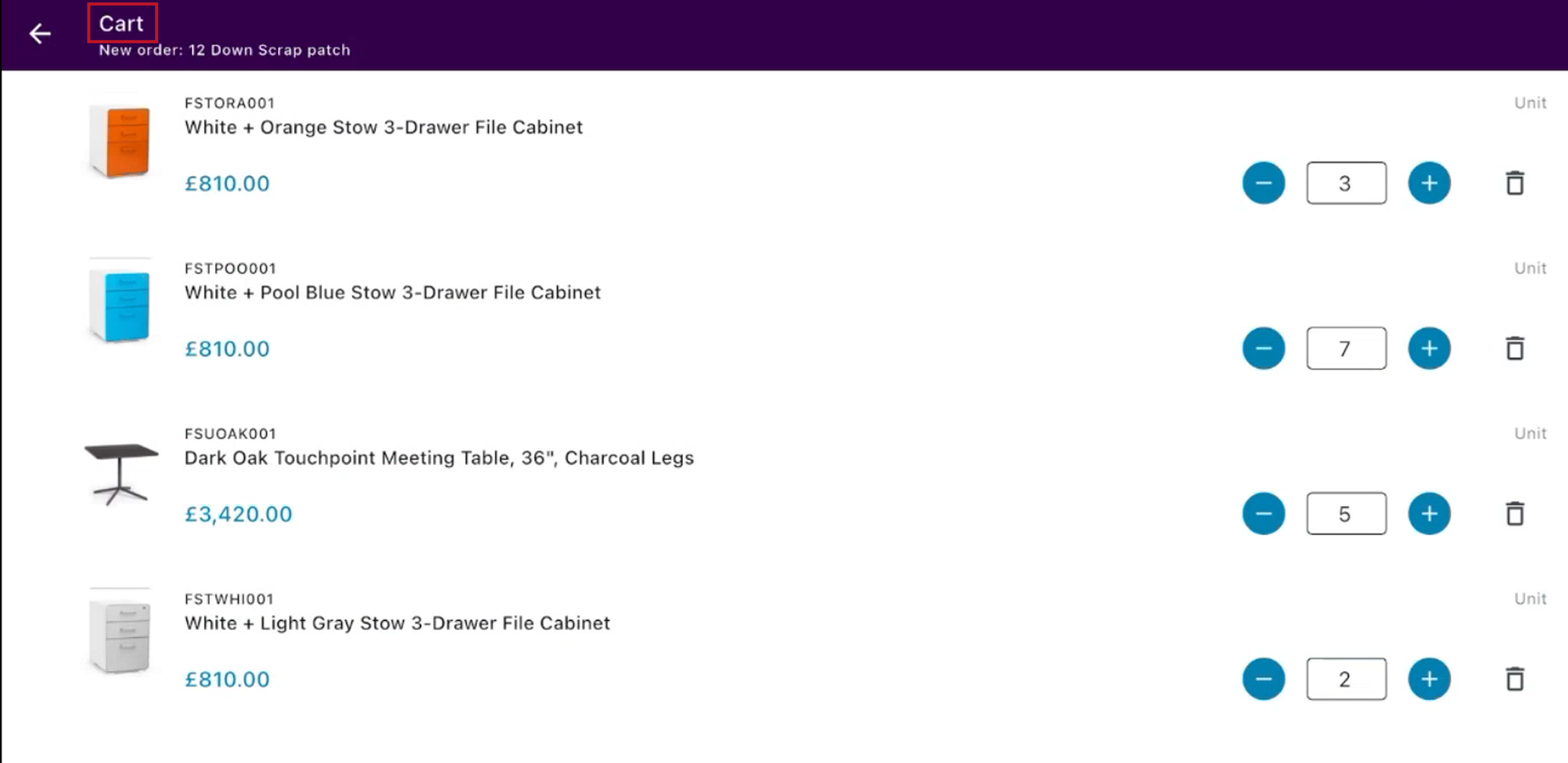
5. The Cart button will allow you to see what you have added to your order - in the exact order you added them.
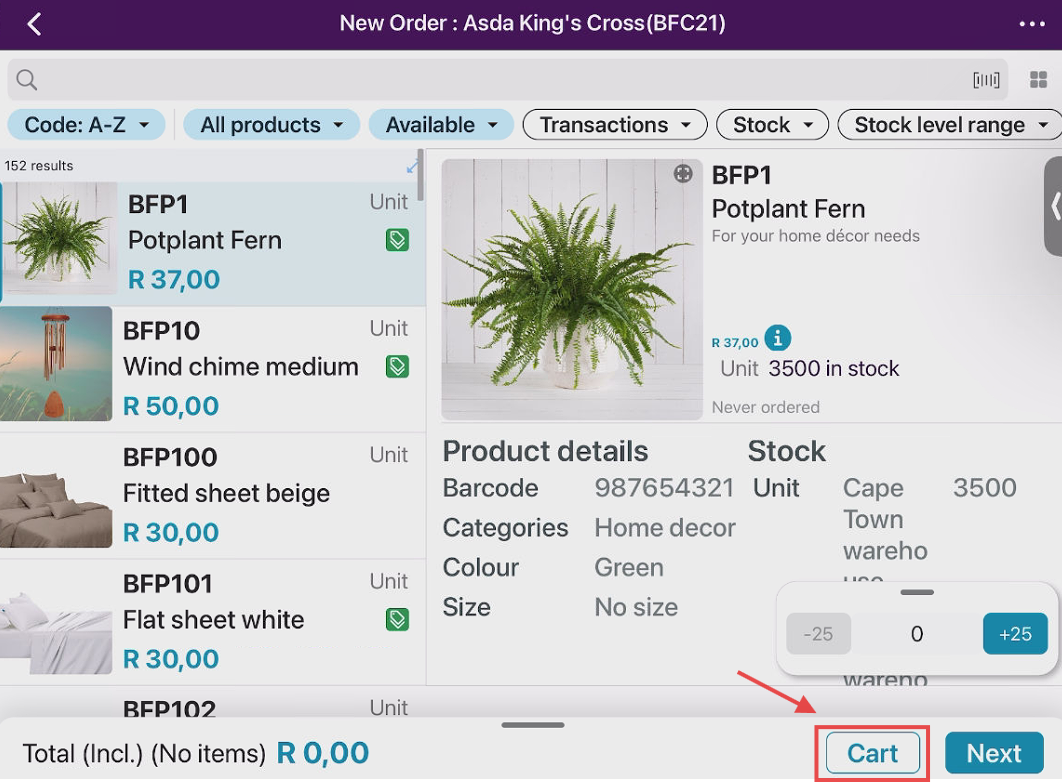
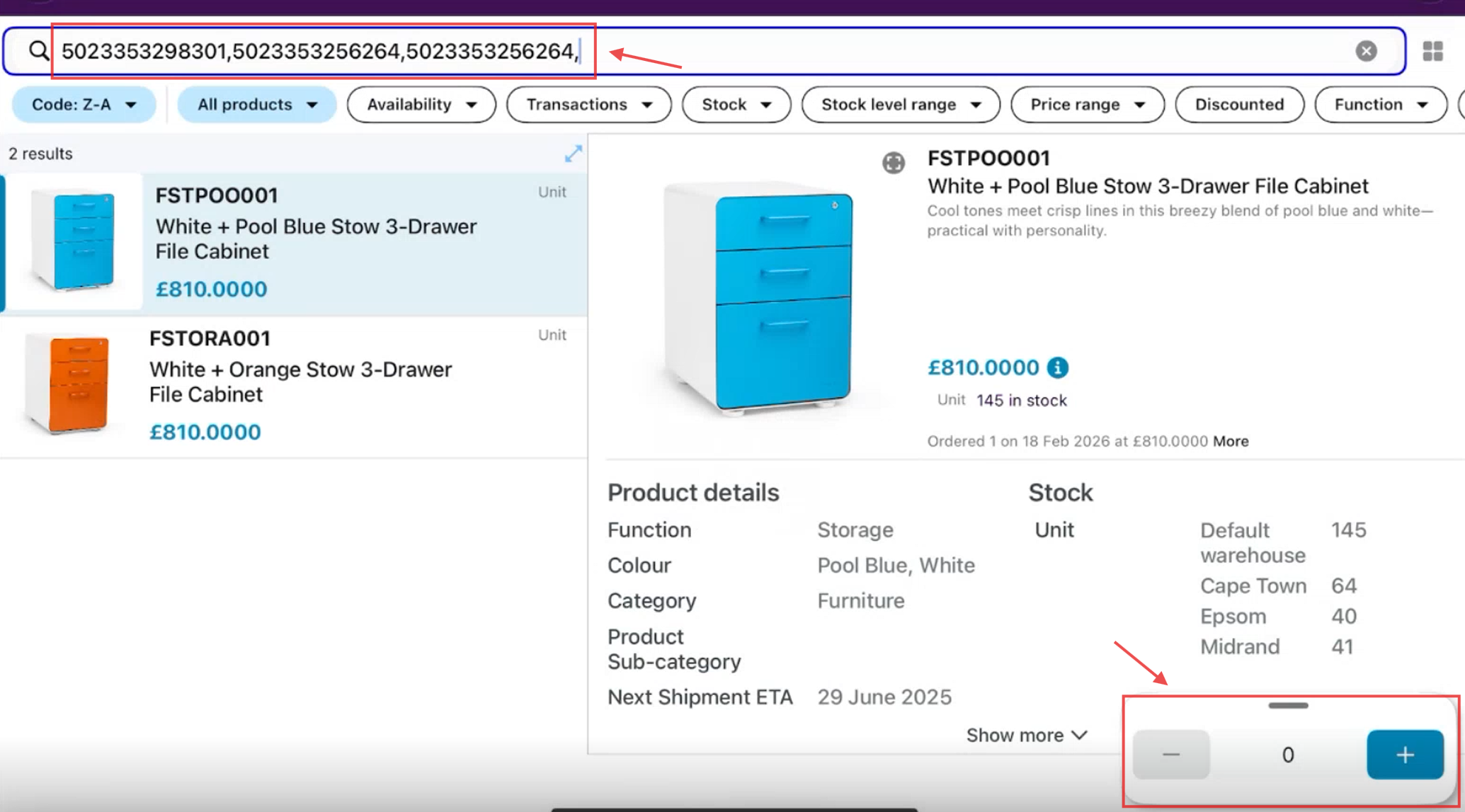
6. With a Bluetooth barcode scanner you can scan multiple items on this page and add the quantities as required.
7. You can also scan barcodes on the "Cart" page and items will auto populate with quantities based on your minimum order quantities.
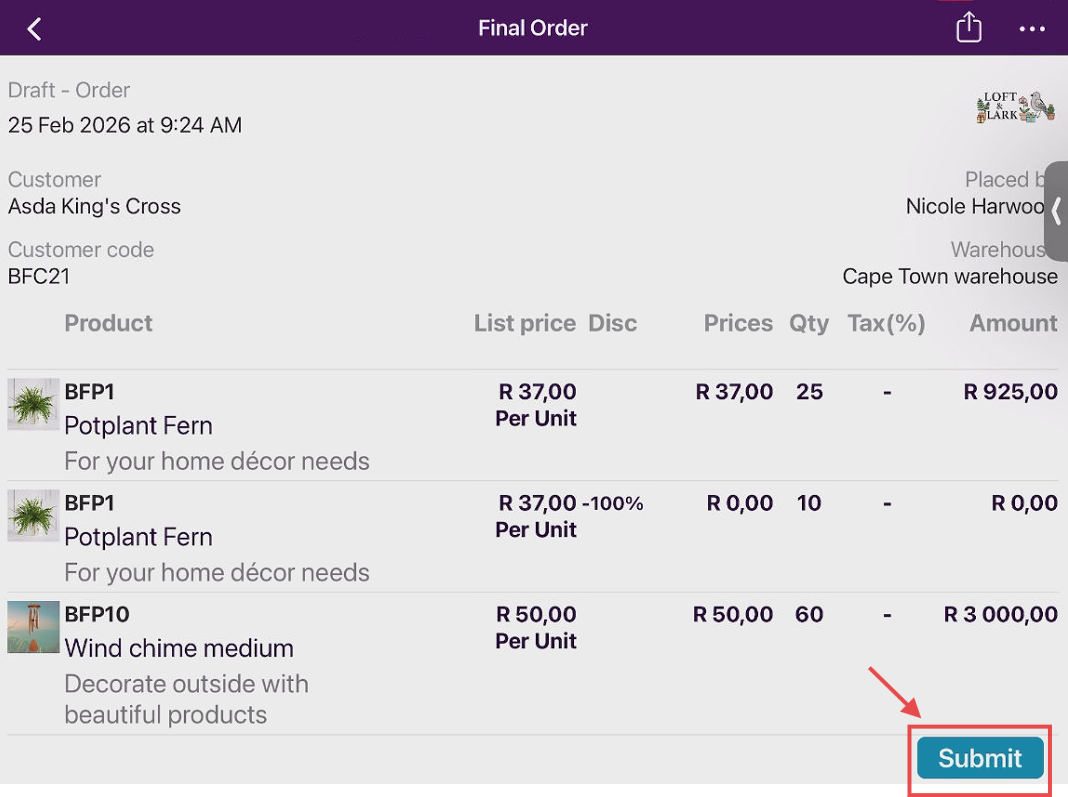
8. You can then complete the order by filling in your order form, double checking your order on "Summary"
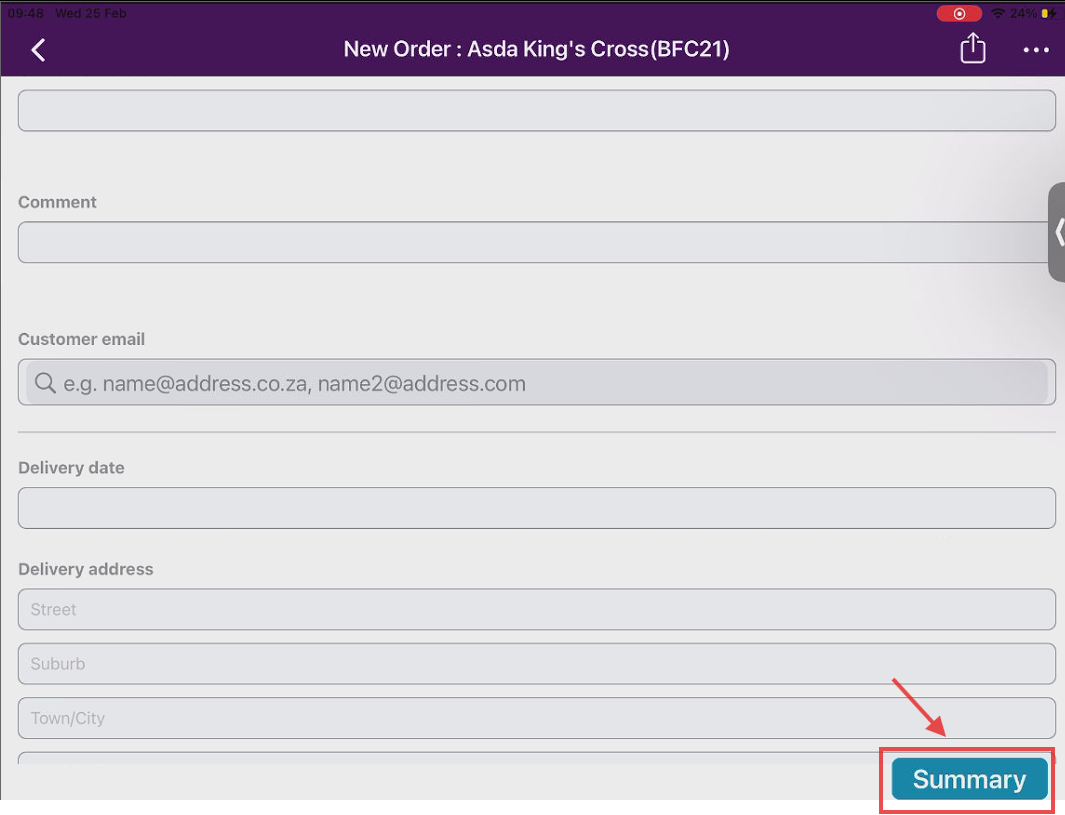
9. Select "submit" to finalise your order
Was this article helpful?
That’s Great!
Thank you for your feedback
Sorry! We couldn't be helpful
Thank you for your feedback
Feedback sent
We appreciate your effort and will try to fix the article