To create your access token, please follow the steps below:
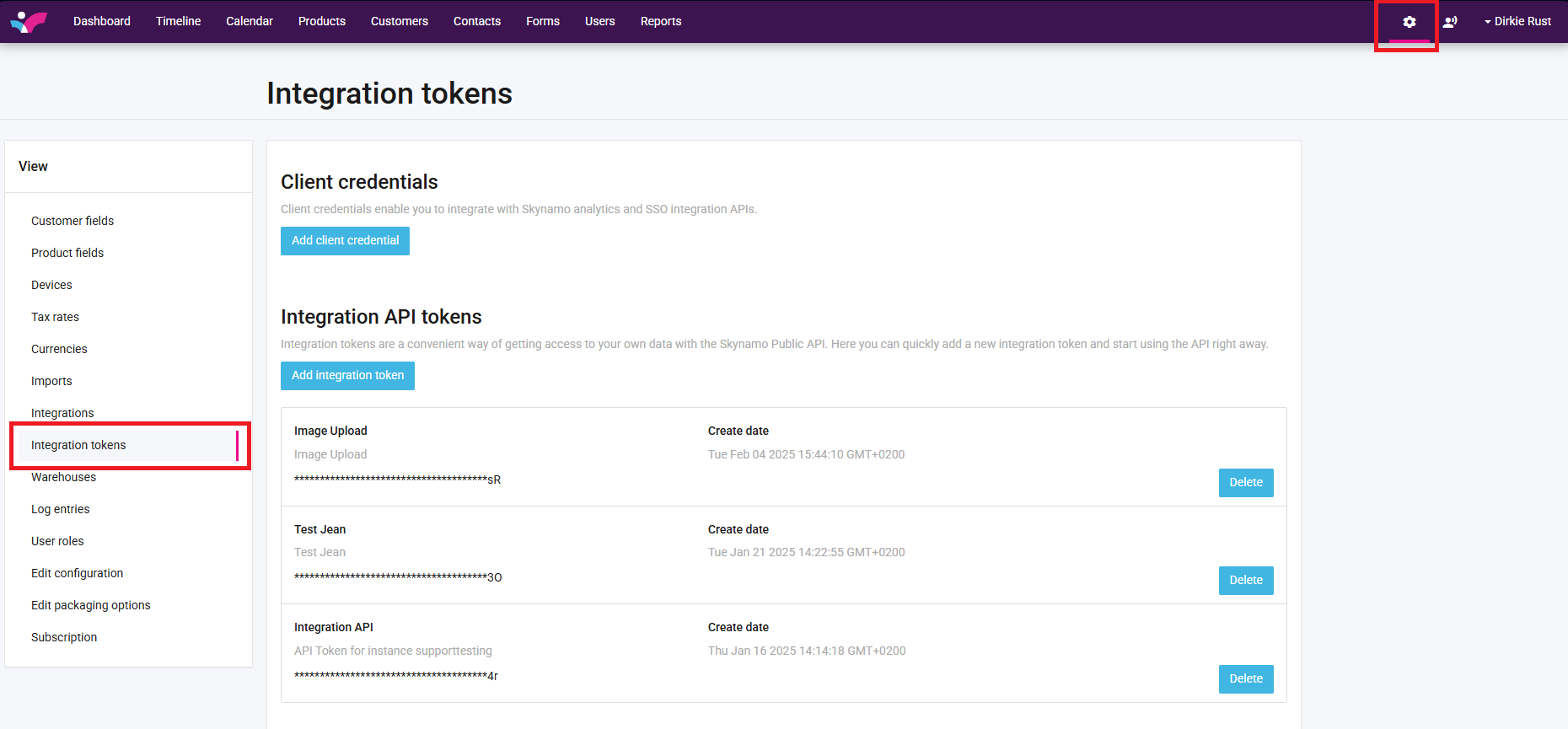
Navigate to your Settings, and select Integration Tokens on the view Panel:
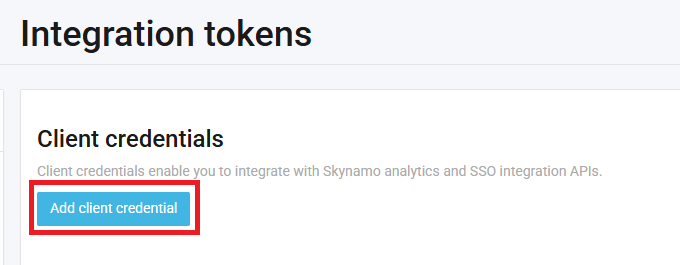
Click on Add client credential:
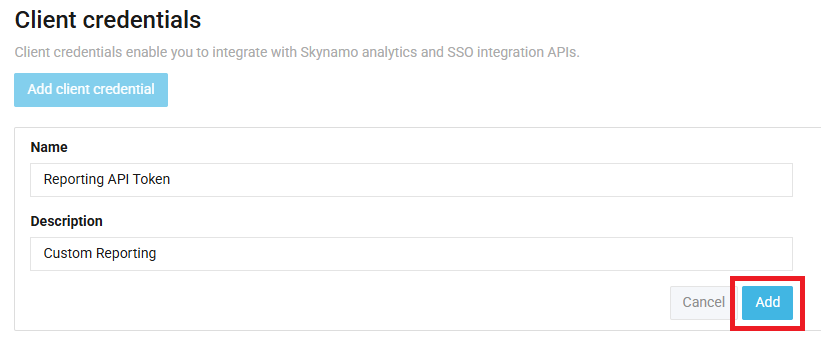
Give your Reporting API token a Name and Description (what you will be using it for, perhaps) and select Add:
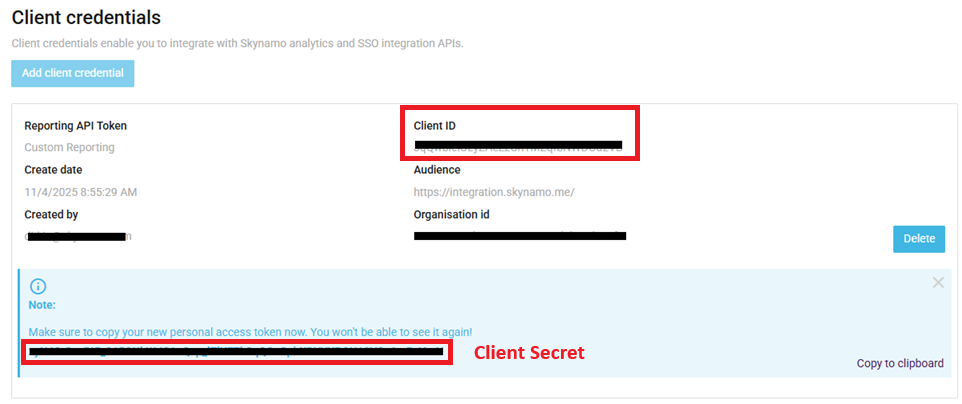
Then you will have access to your necessary credentials:
Note: The two important things are your Client ID and Client Secret, marked in Red below. The Client Secret is the blue code that you will see appear at the bottom. Make sure to save this somewhere safe because if you close this window you will not be able to access it again.
Note: The two important things are your Client ID and Client Secret, marked in Red below. The Client Secret is the blue code that you will see appear at the bottom. Make sure to save this somewhere safe because if you close this window you will not be able to access it again.
Below is the link to our help center relating to all things API:
Was this article helpful?
That’s Great!
Thank you for your feedback
Sorry! We couldn't be helpful
Thank you for your feedback
Feedback sent
We appreciate your effort and will try to fix the article