
Step 1:
If you do not have a Google account for your device yet you will need to set it up to access the play store. Once you have installed and activated your account you can go to the Play Store app:
If you do not have a Google account for your device yet you will need to set it up to access the play store. Once you have installed and activated your account you can go to the Play Store app:

Step 2:
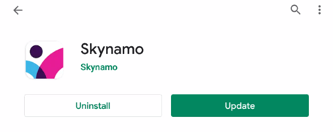
Search for Skynamo on Playstore and click "Update":
Search for Skynamo on Playstore and click "Update":
You can now simply wait for the update to finish installing. Once it has, click "Open" to go back onto the app.