
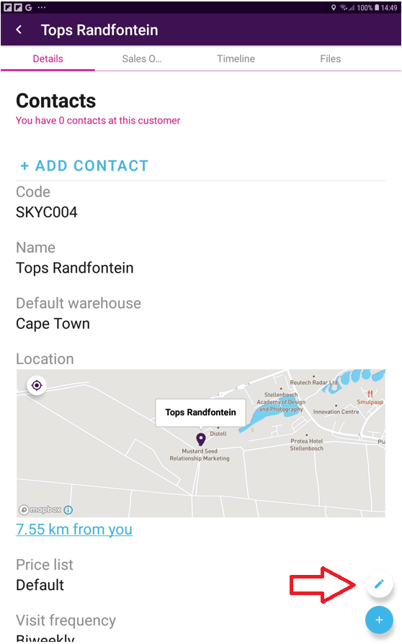
To update a customer’s location, access the customer profile and tap the blue pencil icon:
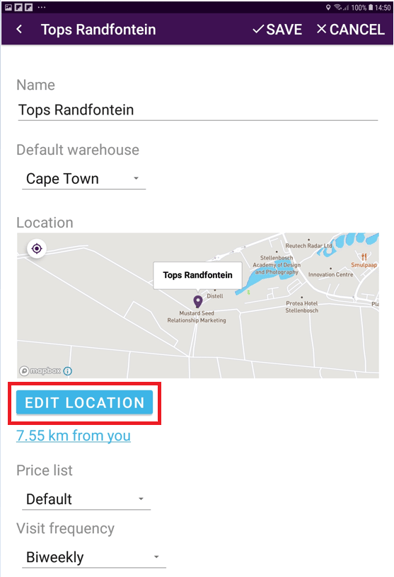
When in edit mode fields will become editable, select “Edit Location”
Use the compass icon to center and align your current location and the dropped pin to ensure you mark the customer location accurately. The blue and white dot represents your current location, and the pin represents where the location will be saved. We therefore recommend that you ensure that the blue and white dot and the pin are aligned:
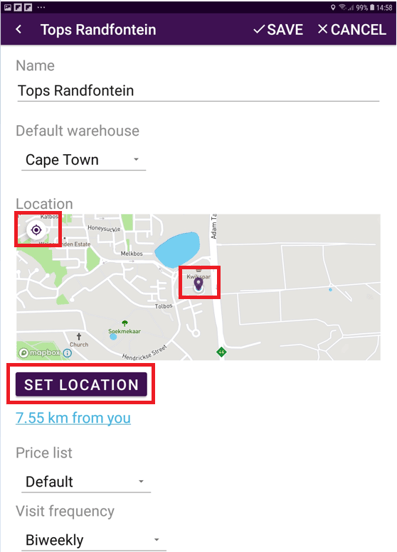
Select "Set Location" and then don't forget to “Save” (the tick at the top right corner of your screen) to update the change.