
If you have a customer that should no longer appear in your sales rep's customer list, but you want to preserve their historical data.
This process can be done to deactivate an active customer in your customer database.
Keep in mind we remove visibility of the customer but we do not delete the data. Below we will show you how to deactivate the customer while retaining all their details and transaction history.
Note, this can only be done on Skynamo Insights (i.e. Web portal) and can only be done on customers that have not pulled in via integration.
Navigating to the active customers
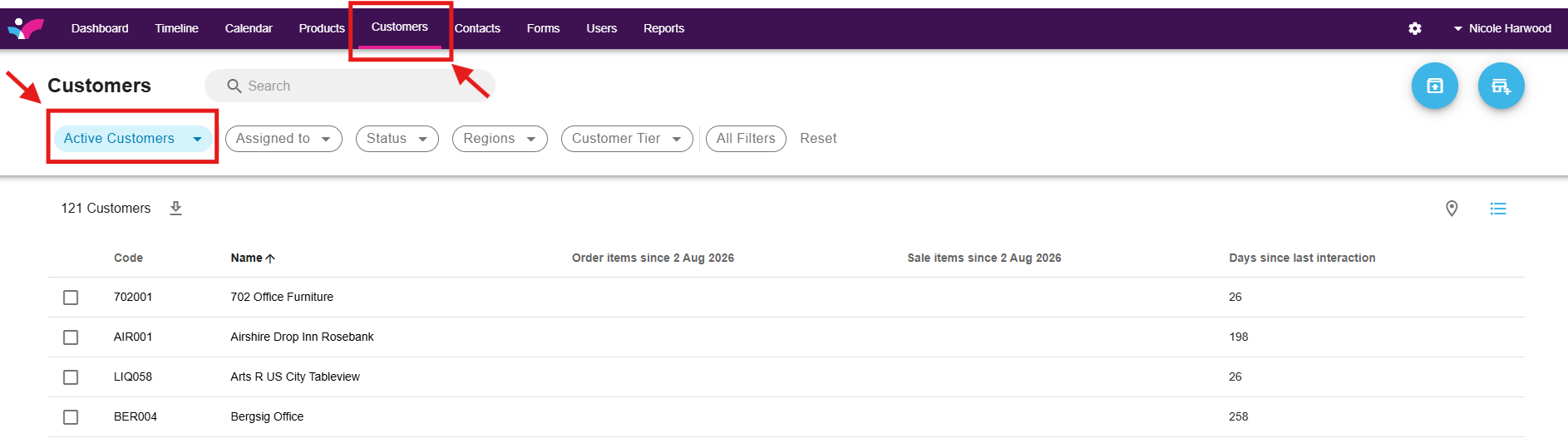
Navigate to your Customers tab. By default, when you click on your Customers tab in the menu bar, you will see your active customers. To deactivate an active customer, simply select it from the main customer list—no filter adjustment is needed.
Deactivating an individual customer
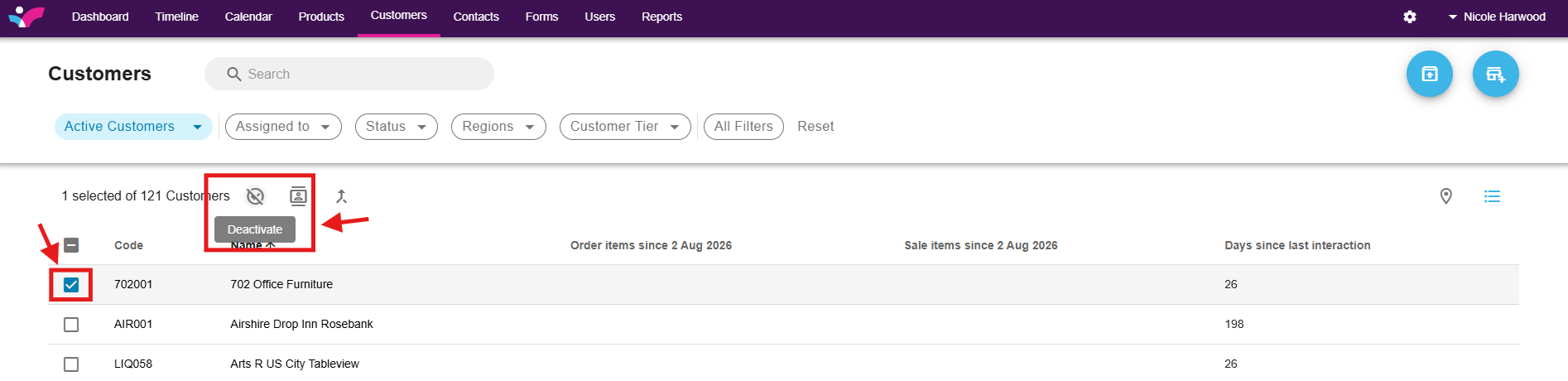
Select the tick block to the left of the customer name. Then proceed to deactivate the customer by clicking on the deactivate button at the top.
To deactivate customers in bulk, please see below article: